In an attempt to use the power of celebrity endorsements to promote the Windows Phone, Microsoft has rolled out new ads featuring prominent women.
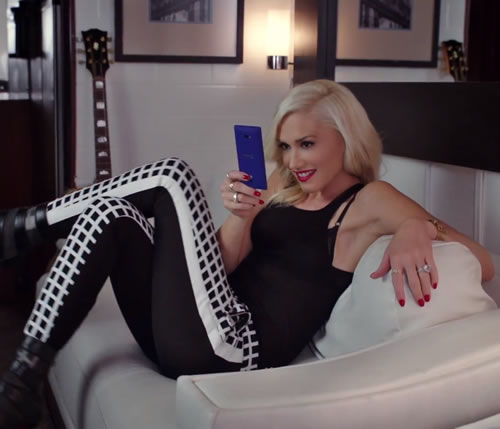
Taking an aggressive approach with the promotion of the Windows Phone platform, Microsoft has launched two new advertisements starring actress Jessica Alba and No Doubt musician Gwen Stefani. Airing during primetime television tonight on commercial breaks within ABC’s Modern Family and NBC’s The Voice as well as late night talk show Jimmy Kimmel Live, the two advertisements highlight different ways that the Windows Phone platform has changed their daily life. The 33-second spot with Jessica Alba features the Nokia Lumia 920 and is co-branded with AT&T. However, the 32-second Gwen Stefani advertisement features the 8X by HTC and splashes the Verizon Wireless logo on the screen.
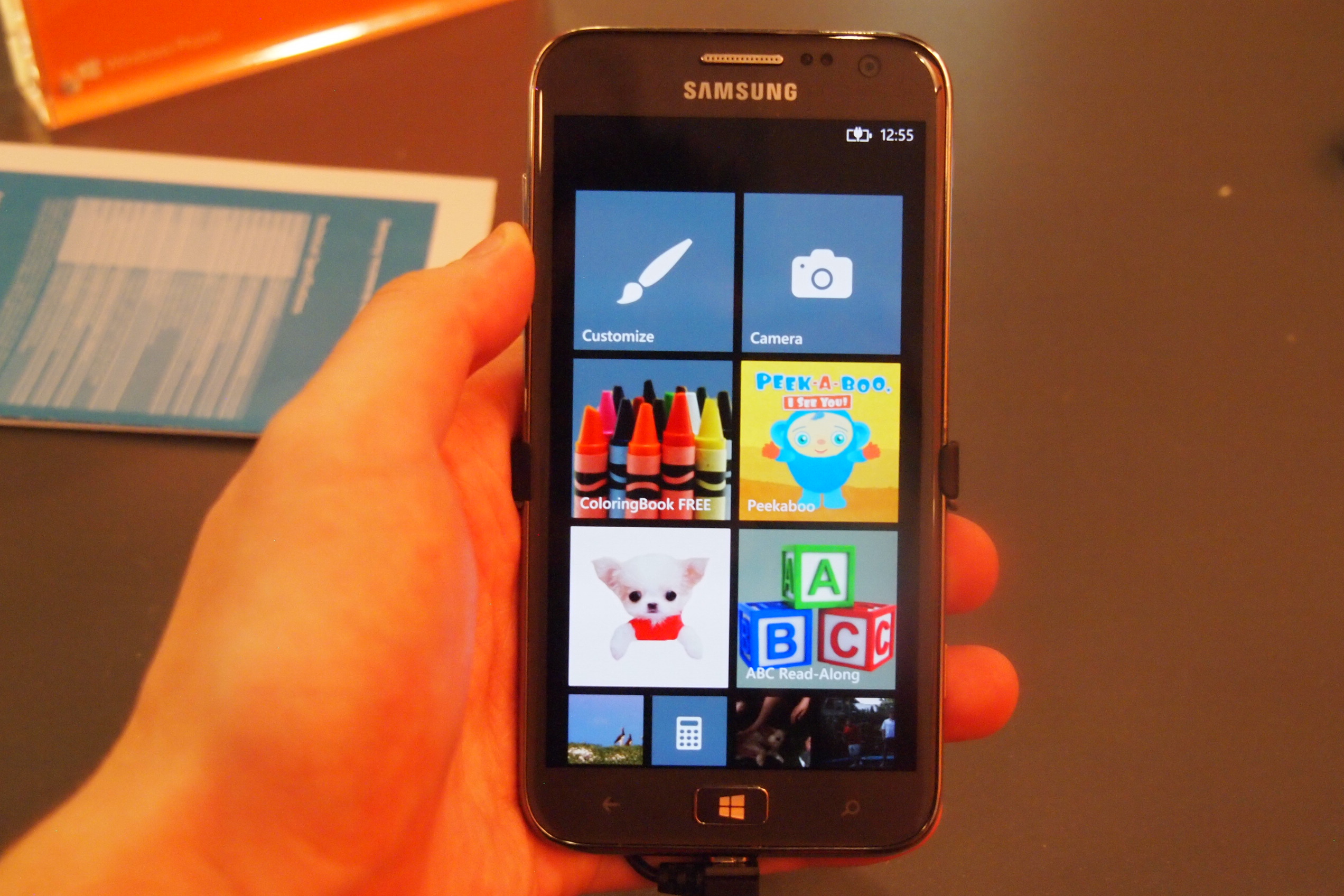
During the Jessica Alba spot, Microsoft is attempting to promote the use of the Kid’s Corner feature since young children like to play games on their parent’s smartphones. Similar to Netflix’s Just for Kids section, Kids Corner on the Windows Phone acts as a parental filter.
After Kid’s Corner is launched, it’s impossible for a child to access text messages, emails or other important areas of the phone without a password. In addition, parents can populate the Kids Corner with approved applications such as entertaining games, learning programs or other fun apps for young children. Kids can also listen to approved music through the Kids Corner interface as well as personalize the background.
Alternatively, Microsoft is trying to highlight the usefulness of the Windows Phone platform for busy working women during the Gwen Stefani ad. Since early adopters of smartphones tend to be both men and women these days, Microsoft is clearly going after the female demographic for the opening round of Windows Phone ads. Ads featuring male celebrities are in the works though. According to Ad Age, two more advertisements will follow later in November featuring Saturday Night Live alum Andy Samberg as well as Carolina Panthers quarterback Cam Newton.
Microsoft and Barnes & Noble have teamed up to offer Windows 8 users a free Nook app for books, magazines, newspapers, and comics.
Readers with Windows 8 PCs have a new free option for enjoying their literature. Barnes & Noble’s subsidiary Nook Media announced the release of a Nook app for the Microsoft operating system. The free app holds all of your books, magazines, newspapers, and comics within an easy-to-use new interface specifically for PCs or tablets running Windows 8.
Like most of the programs available through the official Windows Store, the Nook app capitalizes on the distinguishing features of the OS for a unique new experience. The Live Tiles allow you to jump right back to your spot or see when a new issue of a subscription is available. You also have the option to pin a specific title to your start screen, making it faster to hop back and forth between books. The app contains a Nook Store, so you can purchase additional books without needing to navigate in and out of the program. Between the 3 million titles in the store and the tailored recommendations of the Nook Channels service, you should never be hurting for reading material.
Another handy feature of the app is the new “paper” user interface, which is meant to offer an uncluttered, easy reading experience. The Nook app interface is also designed to make browsing among your titles easy with the touch capabilities of Windows 8 tablets. And of course, the Windows 8 app will sync with the Nook app across your other mobile devices through the Nook Cloud. That makes it easy to access your books from any computer at any time without missing a page.
It’s been a busy month for Barnes & Noble, which recently dropped prices on two Nook models as it rolls out the new Nook HD. The Windows 8 Nook app is the first digital property to emerge from the partnership between the bookseller and Microsoft. It shows an understanding of how developers will likely take advantage of the Windows 8 start page, especially in terms of Live Tiles and pinning apps. These types of extra perks will probably become commonplace among the companies that are able to collaborate with Microsoft to create special Windows 8 versions of their programs.
Verizon could be planning to introduce a free Windows Phone 8 device to its line-up of smartphones, potentially made by Samsung, as it continues to put its weight behind Microsoft's new operating system.
Verizon never really took to Windows Phone 7 and last year offered just one phone with Microsoft’s operating system onboard. This has changed with the introduction of Windows Phone 8 though, as the carrier has already announced two devices — the exclusive Nokia Lumia 822 and the HTC 8X — and according to a new report, a third is on the way.
Rather than add another high-end Windows Phone, Verizon may be looking in the opposite direction, and could introduce a free Windows Phone 8 device soon. This comes from Verizon’s marketing officer Tami Erwin, who spoke to TheVerge.com this week, saying “there will be a $99 and a $199 option, and ultimately before the end of the year we will have a device that comes in at the free price point.
We already know the Lumia 822 is the $99 option, and the HTC 8X costs $199, so what device will Verizon choose as its entry-level handset? The Samsung Ativ Odyssey is the obvious choice, as it has already been partially confirmed for the network after making an appearance during the Windows Phone 8 launch event.
The Odyssey is rumored to be a re-branded Samsung Ativ S, but as this is far from a basic phone, it’s unlikely to be made available for free. So, either the spec will be completely different, or another phone will take its place.
Samsung Marco
There could also have been a change of plan at Samsung. Back before Windows Phone 8 was fully revealed, there were two Samsung Windows Phone 8 devices rumored — the Odyssey and the Marco. The names of which became known as part of the documents released during the Apple/Samsung legal battle taking place at the time.
The specs put the Odyssey with a 4.65-inch screen and an 8-megapixel camera, and the Marco with a more modest 4-inch screen and a 5-megapixel camera, although both featured Qualcomm’s 1.5GHz dual-core processor. A tweet from @evleaks, the account responsible for the leaked Odyssey image, states the phone may be the Marco after all.
If so, this puts it in the same category as the HTC 8S. As HTC’s second Windows Phone has yet to appear on any US or UK networks, it’s difficult to compare prices, but the SIM-free cost is half that of the 8X.
There’s also a chance Verizon may chose Huawei’s Windows Phone 8 device, which has yet to be announced but will almost certainly be cheap when it does eventually surface. Although Verizon hasn’t really worked with Huawei yet, the Chinese manufacturer indicated a deal with Verizon was “happening” during an interview in October.
A free Windows Phone 8 device could be quite a big deal, not only for Verizon, but for Microsoft too. At the moment, neither AT&T nor T-Mobile list a free WP8 device, and Microsoft needs a cheap option if it’s to effectively combat Android.
Earlier this year, Verizon’s CFO Fran Shammo said the network viewed Windows Phone 8 as a “differentiator,” and planned to help the OS become a “strong” third software competitor to iOS and Android. Offering its customers a free phone (with a contract, of course) would certainly be an important step in that direction.
While at this stage the problems aren't being reported in any great number, Microsoft are bound to be concerned about reports of a number of issues regarding its new Surface tablet its accompanying Touch Cover keyboard.
With any new gadget or device you buy, you expect that over time it’ll begin showing up marks and nicks. But when things start to look a bit shoddy after just a couple of weeks – usually a time when you’re still carrying it around like you would a newborn baby – then of course it’s cause for concern, as much as for the manufacturer as for the owner.
So no doubt Microsoft will be studying with interest a number of comments that have started to appear on a Surface forum in recent days regarding its Touch Cover accessory, the new ultra-thin keyboard/cover which can be used with the company’s recently launched Surface tablet.
Accounts of the edge of the cover “peeling” and “ruffling up” along the magnetic edge where the Touch Cover connects with the tablet have been reported in the forum, while a piece in The Verge claims that a split in the same place exposes a wire.
Currently, there are only a few Touch Cover owners in the forum remarking on the issue, but if it turns out the keyboard/cover has a design fault, it could become more of a problem for the Redmond-based computer giant in the coming weeks.
Commenting on the issue in a statement issued on Friday, a company spokesperson said, “Microsoft makes every effort to ensure our customers receive a high quality product. We are in active contact with our customer support operations and are aware of a small number of instances of material separation.”
Meanwhile, The Next Web has reported a number of Surface owners experiencing “random mute events” where the audio switches off for no apparent reason. According to PocketNow, the culprit may be the Touch/Type Cover keyboards, which are “misreporting a press of their ‘mute’ keys.”
While this is certainly no ‘Antennagate‘ moment for Microsoft (for a start, the problem is with an accessory and not the main device), the company will doubtless be examining these early reports carefully in an effort to ascertain what action, if any, needs to be taken to eradicate future instances of these problems occurring.
What kind of cases and covers, or Microsoft Surface accessories are available on the market right now? Join us as we take a look at some great options for the Surface with Windows RT and the Surface with Windows 8 Pro.
If you’ve been tempted by Microsoft’s new Surface tablets then you’ll probably be on the lookout for a new case and maybe some accessories. There’s no denying that the magnesium shell and Gorilla Glass 2 screen look tough – just check out the skateboard demo – but that doesn’t mean you won’t want some protection or a practical bag to carry your shiny new tablet in.
We’re also going to take a look at the options out there for Microsoft Surface accessories. There are a couple of adapters that might prove essential and everyone could use some extra storage. The choices for cases are limited, partly perhaps because the Surface tablet has a built-in kickstand (something that cases and covers often offer) and partly because manufacturers are unsure how popular it will be.
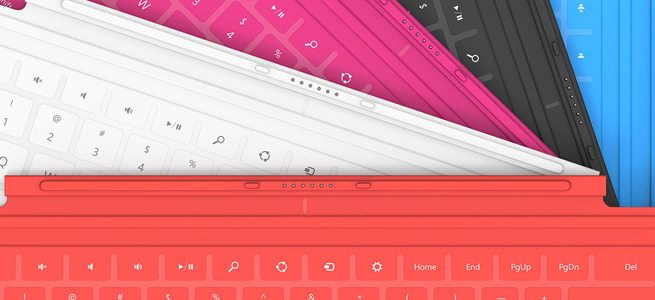
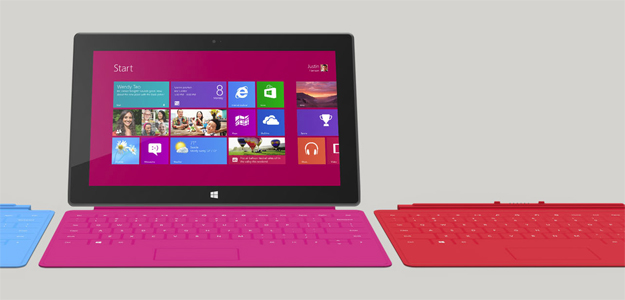
This super-slim, pressure-sensitive keyboard doubles up as a protective cover. It also has a trackpad and some handy Windows shortcut keys. It snaps into place with a magnetic seal that’s quite strong. It’s great to have a keyboard cover that’s only 3.5mm thick and weighs just 0.46 pounds, but there is a drawback. Most reviews have pointed out that it is uncomfortable to type on because it is so flat and unresponsive. The color choices of cyan, magenta, and red are also going to put some people off, but don’t worry they come in black and white as well.
It is bigger and it only comes in black, but for serious typists the mechanical keys of the Type Cover are going to be far preferable to the Touch Cover keyboard. It is still only 6mm thick and it weighs 0.55 pounds. It also has the trackpad and shortcut keys and it clicks on with the same magnetic attachment. The Type Cover really makes the Surface feel like a laptop and it’s much easier to get used to than the Touch Cover which makes it well worth the extra $10.
A nylon sleeve isn’t going to offer major protection from bumps, but it will keep dust and scratches at bay. The close-seamed zipper has a neoprene lining and rubberized pulls for ease of use and comfort. The inner lining is soft, faux-fur which provides some cushioning from bumps and there’s a handy external pocket with a zipper for extras. It comes in a range of two-tone color combinations and it’s one of the few options on the market right now designed specifically for the Surface.
If you were expecting to find any extras beyond the power supply in your Microsoft Surface box then you’ll be disappointed. Many will consider these pricey adapters to be essential, and they are described as “proprietary”. For $40 a piece you can get an adapter for any HDMI-compatible display or one for any VGA-compatible display. This is definitely the simplest way to see your Surface content on a big screen or through a projector. Don’t feel that you have to splash out for the official adapter, though, because the Surface has a standard micro-HDMI port so any HDMI-to-micro-HDMI cable will do and if you shop around there’s no need to spend more than $5.
Since there is actually only 16GB free in a 32GB Microsoft Surface you might be looking for extra storage sooner than expected. The Surface supports microSD, SDHC, and SDXC memory cards. You can pick one up from Amazon at about $10 for 16GB up to about $60 for a 64GB card. You’ll find the memory card slot behind the kickstand. For cheap storage without any added bulk a memory card is your best bet.
The Surface tablets also have a USB port. The RT has a USB 2.0 port and the Surface with Windows 8 Pro has a USB 3.0 port. If you invest in a fast flash drive you’ll be able to transfer files quickly and easily. You can back up emails or documents and you can watch movies or listen to music. These handy accessories are a cost-effective and convenient way to boost your storage capacity and they’re great for transferring files from your old PC or laptop. They come in all shapes and sizes and you can find a comparison via the link above. If you need more space then consider an external hard drive instead.
Bluetooth Headset ($50 to $150)
With support for Bluetooth 4.0 you could choose any Bluetooth headset to use with your Surface. The tablets do have built-in dual digital mics, stereo speakers, and a camera, but some people prefer a headset when they Skype. Whether you want to go for the Plantronics Voyager Legend or something from Jawbone, Motorola, or Aliph, really depends on your requirements and your budget.
All the gamers out there will be glad to learn that the Surface tablet supports wired Xbox 360 controllers. It won’t work with wireless controllers, but just like any Windows PC, if you plug a wired Xbox 360 controller into the USB you’ll be able to play games with it. This is more exciting for the Windows 8 Pro version of the Surface tablet because it will support a lot more games. It will be interesting to see whether Microsoft tries to make XBLA games available as it pushes more cross-compatibility with the Xbox 360 in your living room. The second screen app soon to be released on Windows 8 and RT, Xbox SmartGlass looks like the first step.
More ideas
The fact that the Surface tablets boast USB ports and have Bluetooth support means there is already a long list of potential Surface accessories. There’s no need to wait for a bunch of dedicated accessories to be released. You may well find your existing mouse or Bluetooth headphones will work with your new tablet. Post a comment and tell us about your favorite Surface accessories so far.
According to reports, Microsoft is moving forward with an Xbox Surface tablet. The 7-inch device will place a firm focus on gaming with a custom-built processor and modified version Windows OS. We're likely to see the tablet before we see an actual new Xbox.
According to a report from The Verge, Microsoft is entering into the hardware business with a 7-inch gaming tablet. We’ve known for a while that Microsoft has had interest in building hardware for devices running its new Windows 8 operating system, but this tablet project appears to be an entirely new beast — though it’s been rumored since June.
The sources used in the report states the 7-inch gaming focused tablet would run on a modified version of Windows, similar to the Windows RT tablets, and would include “a custom ARM processor and high-bandwidth RAM.” While gaming will be the focus of this device, it may not be its explicit purpose as some other tablet functionality may remain in place.
It’s interesting to note the Xbox 720 is rumored to be built on Windows, likely a custom kernel of the operating system. This is the same way the Xbox Surface tablet is said to operate. The report from the Verge also made mention of the fact that the Xbox Surface tablet is being developed in Microsoft’s Silicon Valley offices and the company recently locked down Xbox-related buildings on its campus. This news means we could see an Xbox tablet before we see a new console from Microsoft.
Microsoft has yet to comment on the speculation, but all signs are pointing to an Xbox Surface offering from the Redmond based company. After some rough reviews on the first Surface, it makes sense that Microsoft might go back into its stable and come out with another offering branded with its powerhouse product. The Xbox brand is only eleven years old but is one of the most notable names in gaming. The mobile market has proven itself as a true embracer of games and entertainment, so slapping a well-recognized name in those fields onto a tablet seems like a no-brainer for marketing. If the Xbox 720 is truly being built on Windows and Microsoft is working on some sort of OS integration between its tablet and its gaming system, the Xbox Surface may become a must-have accessory for console gamers who remain loyal to Microsoft.
Microsoft Office is coming to the iPhone, iPad, and Android next year, according to sources.
A mobile version of Office has been spotted running on the iPad before, but Microsoft has stayed quiet on the matter. Now anonymous sources have confirmed to The Verge that Office for mobile devices is real, and will be out on Android and iOS in early 2013.
Office Mobile will be free for both iOS and Android, and will let you view documents on your device. It'll be compatible with Word, PowerPoint, and Excel documents, and if you subscribe to Office 365, you'll be able to edit them too.
You'll be able to subscribe to Office 365 from within the apps.
The in-app editing will be "basic" according to the report. So not a patch on using the full version of Office on a desktop or laptop.
Previous spots
A press release from Microsoft's Czech arm previously revealed Office Mobile apps for Android and iOS would be available in March 2013. According to The Verge, the iOS version will be out in late February or early March, with Office for Android coming later, around May time.
A Microsoft spokesperson told The Verge: "Office will work across Windows Phone, iOS and Android."
A mobile version of Office was first spotted running on an iPad back in May, and since then the rumour mill has gone into overdrive.
We originally thought Microsoft was being generous with 32GB storage standard for the Surface RT, but it turns out only 16GB of that is available to users. The rest of the storage is taken up by Windows RT and Microsoft Office.
If you thought a $500 Microsoft Surface RT with 32GB of storage was too good to be true (compared to the iPad’s 16GB for the same price) then we’re here to say you’re right. If that was your dream then you may want to start amassing memory cards because Microsoft had to use half of that 32GB for Windows RT, Microsoft Office, and other software.
Microsoft broke the news in a new post titled, “Surface disk space FAQ”, outlining exactly how much space on the Surface RT is available for apps, music, videos, and photos. According to the FAQ, the 32GB version has 16GB of free space and the 64GB version will have 46GB free. We are hoping this isn’t a universal issue for all Windows RT devices, but keep it in mind next time you read about a Windows RT device with an attractive storage size.
Another part of the FAQ explains that 32GB is actually 29GB when using it in the real world. Silly us for trusting the quoted storage sizes. Here’s the official explanation:
The advertised local disk size is shown using the decimal system, while Windows displays the disk size using the binary system. As a result, 1 GB (in decimal) appears as about 0.93 GB (in binary). The storage capacity is the same, it’s just shown differently depending on the how you measure a GB (decimal or binary).
At least Microsoft was kind enough to feature expandable memory through microSD cards that can hold up to 64GB of extra data. There’s also a standard USB port if you are in need of something in the terabyte range for a massive media collection.
Still, Microsoft routinely boasts that the Surface has double 16GB of storage when only 16GB is available to users. Windows RT has enough uncertainty surrounding it with its basically useless classic desktop and nearly empty app store. It doesn’t need this storage drama added to the mix. The Microsoft engineer quoted last month saying Surface RT users would have 20GB of space available only makes things more uneasy.
With iOS and Android optimized for mobile storage sizes, we kind of expected Windows RT to be relatively svelte in terms of gigabytes. It wouldn’t be surprising if Microsoft addressed the size of Windows RT in a future update. Perhaps it will prune it down as time passes and eventually — fingers crossed — phase out the legacy features and classic desktop altogether.
What do you think of Microsoft’s misstep? Is expandable memory enough to make up for less internal storage?
The Nokia Lumua 920 is the flagship handset from the Finnish firm, but it's no longer Microsoft's darling device, with the HTC 8X selected as the signature Windows Phone 8 handset.
That said the Lumia 920 is the most featured packed of the initial Windows Phone 8 line up, as Nokia looks to regain its dominance in the WP market and ride the new OS wave to success.
With its impressive spec sheet it's no surprise the Lumia 920 comes at a price, available exclusively for now on EE in the UK from £36 per month and £129.99 upfront, but you'll only get 500MB of data, SIM-free prices are expected to be around £450.
In the US AT&T is the exclusive carrier, offering the Lumia 920 for £149.99 upfront on a two year contract, while SIM-only prices are expected to settle around the $600 mark.
The handset itself follows on from the design of the Nokia Lumia 800 and Lumia 900, the latter of which is the natural predecessor of the Lumia 920, offering up the Finn's big-screen Windows Phone experience.
Front on you'll be hard pushed to tell the difference between the Lumia 920 and Lumia 900, however the newer handset has a smaller bezel above the screen, but a larger one below it.
It's a strange decision and if we're honest the additional space below the three touch buttons; back, Windows and search, seems a little unnecessary - reminiscent of the Motorola Razr.
The Lumia 920 is pretty big as far a smartphones go these days measuring 130.3 x 70.8 x 10.7 mm, with the unibodied polycarbonate chassis providing a sturdy, premium finish – however its weight is noticeable.
Tipping the scales at 185g the Nokia Lumia 920 is unmistakably heavy, especially if you're coming from the 112g iPhone 5 or 133g Samsung Galaxy S3.
And while the weight may be a shock to start with we did become accustomed to it, and after a few days use it was honestly no longer a real issue – however those with smaller palms may still find it a bit of a struggle.
The rounded sides of the Lumia 920 make for a smooth, comfortable hold, as long as your hand is big enough to wrap round the handset, and with the physical keys all located on the right hand side, they're relatively easy to hit.
On the right there's the volume rocker switch, followed by the power/lock in the centre and a physical camera shutter button towards the base – a rarity among smartphones these days, but something Windows Phone handsets tend to stick with.
The main feature on the front of the Nokia Lumia 920 is the 4.5-inch IPS TFT screen, which provides a crisp, bright display offering up an HD resolution of 768x1280.
It's not quite as large as the 4.7-inch display on the HTC One X+ or the 4.8-inch Galaxy S3, but it is the biggest Windows Phone 8 handset currently on offer, with the Windows Phone 8X clocking in at 4.3-inches.
On top there's a centralised 3.5mm jack, which Nokia claims makes it easier to slide into your pocket when you have headphones plugged in, next to a microSIM tray which requires a little tool included in the box to pop open.
The presence of the SIM slot reveals there's no access to the 2,000mAh battery housed inside the Lumia 920, plus there's no SD slot to expand on the 32GB of internal storage.
The left side of the Lumia 920 is an uninterrupted slice of polycarbonate allowing you to marvel and the beautifully curved edge.
On the bottom you have a microUSB port flanked by a couple of speaker grills and two exposed rivets, similar to the ones on the base of the Google Nexus 4 and down the sides of the Motorola Razr i.
Place the Lumia 920 face down and it becomes even more difficult to differentiate it from the Lumia 900, with the centralised 8MP camera lens, sliver plate surround and dual LED flash the only features on the back.
The only clue that this is a different handset is the word Nokia in large text on the sliver plate, instead of Carl Ziess on the previous model, which has now been relegated to a smaller font next to the firm's name.
The matte black finish on our review model completes the minimalist industrial design, however the Lumia 920 is also available in grey, white, red and yellow which sport a glossy finish which we reckon looks a bit cheap.
As long as you can get over the size and weight of the Nokia Lumia 920 - we did after a few days - you'll find it's a robust device which certainly feels premium in the hand, with possibly only the iPhone 5 feeling classier.
Microsoft is reportedly putting Windows Live Messenger to rest, and replacing the messaging client with Skype.
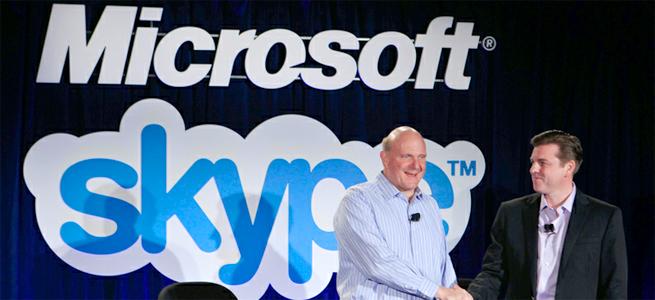
We got a first glimpse of Microsoft’s plans for their $8.5 billion purchase of Skype late last month when Microsoft enabled Facebook, Hotmail, and Windows Live logins through Skype. Now The Verge has caught wind from his sources that Microsoft may be taking this a step further by replacing Windows Live Messenger with Skype altogether.
The announcement that Windows Live Messenger will be put to rest after thirteen years since its founding, first introduced as MSN Messenger in 1999, may come as early as this week. The report adds that Windows Live Messenger’s backend is slowly being integrated into Skype, which means that the only change for existing Windows Live users is that they’ll have to login through Skype’s client.
Skype has already been married into Windows 8 as a default native app to the Microsoft operating system, and Microsoft is free to do with Skype as it wishes — so the decision makes sense. The news of Windows Live Messenger’s retirement however isn’t official just yet and users have yet to be notified of Microsoft’s intentions, so as for the answer to how tightly integrated Skype will be with Microsoft’s products, we’ll have to update you once we hear back from a spokesperson.
Windows Live Messenger has been in use by 300 million users per month in 2010, although we suspect that number has dwindled due to new competition Google Talk and Hangouts, Facebook Messenger, and of course the many mobile messaging apps on the market today. Skype’s CEO, Tony Bates revealed the latest figures show it had 250 million monthly users in May of this year.
Skype has been subject to a number of face lifts as of late. We’ve been content with the majority of the updates, but there have been just a couple of caveats. For instance all of the cross-platform integration means the Skype contact list is consequently flooded with friends, so users are either left to clean up with lists, deal with it, or forego using the new login integrations altogether.
But the pros outweigh the cons. Messaging Facebook and Live Messenger friends on the Skype client is admittedly a far better experience. Skype acts as a prompt to video call friends you otherwise might not using Facebook.
Pushing Windows Live Messenger clearly wasn’t in the forefront of Microsoft’s mind with the service since it’s Skype acquisition. With a robust messaging and video calling service like Skype, Microsoft has room to offer more comprehensive monetization strategies, like its conversation ads rolled out in June, as it doubles up Skype’s user base with existing Messenger users.
Word that Microsoft is working on an own-brand Windows Phone handset keeps resurfacing, with the latest reports saying that it's currently in testing.
The Wall Street Journal says that Microsoft is testing the mysterious Microsoft smartphone with Asian suppliers, presumably with a view to working out manufacturing processes.
The same sources also told the paper that the Microsoft phone will come with a display somewhere between 4- and 5-inches.
Time will tell
However, they also added that Microsoft isn't yet sure if the handset will make it to mass production.
A splash of colour, Microsoft's latest mobile platform and a sleek new body are combined with more powerful hardware - is the 8X the phone to bring Windows Phone 8 to the masses?
HTC's been in a bit of a weird position these last few years. From the days of anonymity when it made Windows phones for others, it rode the crest of the Android wave when Google's platform launched becoming, pretty much, the Android handset OEM of choice.
And then Samsung happened. HTC's offerings appeared to dip and even the pretty fantastic One X – struggled to make inroads against the seemingly unstoppable Galaxy line, currently led by the superb Galaxy S3.
HTC was up there at the starting block when Microsoft launched Windows Phone a couple of years back, and although it's competing with Samsung in this arena too – and its offerings haven't been what one would call "amazing" – HTC is clearly trying to make its voice heard.
And what better way to do that with some pretty bright colours and a newer version of Windows Phone that the world's been waiting for for months?
The HTC 8X comes in a range of colours - from muted black, to respectable red, to an elegant purple and a, quite frankly, hideous lollipop-lady yellow hue.
We were sent the purple model and it's a beauty. There had been rumours that the red would be reserved for Verizon users in the US – but it looks like the rest of world is now getting it too.
First thing we noticed is how thin the HTC 8X is. Not so much an amazing feat of engineering, but a clever trick.
With dimensions of 132.4 x 66.2 x 10.1mm, the HTC 8X is fairly average in size. But it's thinner round the edges to give the impression it's more svelte than it actually is. Not that this matters because it looks and feels thin most of the time and the slight curve around the back means it sits well, both on a surface and in the hand.
In fact, in the hand, it looks the same size as the HTC One X, despite the appearance given in our picture above.
Add to that the material the HTC 8X is made of – polycarbonate, like the One X – and you instantly have in your mitts a handset that feels like a real premium device. It's a unibody design so it's all nice and neat (win) but at the expense of a memory slot and replaceable battery (fail).
The front of the HTC 8X is taken up by the display. If you like what Nokia did with the Lumia 800, or indeed what HTC did with the One X, you'll be a fan of this too.
The screen just looks like it's been stuck on top of the phone and adds to that premium feel. There's also a splash of colour around the earpiece to remind you that the two are linked.
Next to this, you'll find the front-facing wide-angled camera, and the three Windows Phone softkeys at the bottom – back, search and menu.
That screen is an HD display at 720x1280. Spread over 4.3 inches, it's easily as sharp as Apple's retina display, which no longer appears to be anything special by modern standards.
The top of the HTC 8X is fairly minimalist with nothing other than the 3.5mm headphone jack and the lock button. Although we're not necessarily fans of lock buttons on top of larger phones due to the awkwardness they present, here, we weren't too fussed.
Due to the shape of the handset and the way it sits, it's easy enough to press with the index finger whether you're a left or right hander. Our only complaint is it is quite subtle and a few times, we had to feel around to find it if we were looking elsewhere. It doesn't stick out much.
The left hand side of the HTC 8X is completely bare, whilst all you'll find down at the bottom is the micro USB charging and syncing port.
The volume rocker is on the right and below it is a camera shutter key. We are always pleased to see these because it makes the art of launching the camera and taking a photo so much easier than messing about with software, no matter how good said software is.
There's also a tray for getting that micro SIM in – but you'll need to use a special tool to open it so make sure you keep it in a safe place.
The rear of the HTC 8X is a thing of beauty. That polycarbonate body really sets it off – as does the colour which sits beneath a silver HTC logo and another displaying the Beats Audio heritage. And of course, there's that main snapper with LED light which HTC promises will deliver amazing results.
The 8X will be pitching itself right against Nokia's latest Lumia range – and with the Lumia 920 also coming in a number of colourful iterations, telling them apart may be harder for those who aren't as used to Windows Phone products.
But there is a difference in that the HTC 8X doesn't come with 4G LTE connectivity in the UK, whilst the Lumia 920 does. Which means it'll likely be cheaper – and that may be its saving grace for late adopters.
Expect the HTC 8X to launch at the start of November. With this in mind, there are no real deals to be had yet, but preorder prices are sitting a shade under the £400 mark (USD: $640 / AU: £620) for a 16GB sim-free unit.
This will be HTC's flagship Windows Phone handset, so don't expect it to be in the bargain bucket. Prepare to pay at least £30 a month for two years.
Ever since Microsoft announced the Surface tablet earlier this year, there have been rumors and speculations regarding Microsoft entering the smartphone hardware market as well.
Well, it seems they might. According to the sources at The Wall Street Journal, Microsoft is working with Asian component suppliers to test their own smartphone design. Having said that, the company is not sure if the device will go in mass production.
It is said that the device Microsoft is currently testing has a display between four and five inches. Also, according to The Verge, this device won't be making an official appearance any time before the next year and is supposedly Microsoft's 'Plan B' in case the existing Windows Phone 8 devices fail to make an impression upon the users.
This is certainly interesting news for Windows Phone fans, although we are not sure if the other hardware manufacturers feel the same way.
One feature of the Windows Phone 8 platform that Microsoft failed to mention at the launch this week was a central hub for notifications. That's because it doesn't exist, with Microsoft's Thomas Fennel admitting it wasn't included because the developers ran out of time.
While Microsoft's platform allows for notifications delivered through its Live Tiles system, there isn't a central hub to deliver notifications of all a user's important information.
For some applications that don't take advantage of Live Tiles, this leaves developers without a way to send users notifications.
A notification centre also helps users track older notifications that may be lost in among the more popular apps.
Giving notice
But it's also something that Microsoft is aware of and could potentially implement in future updates.
"It's very, very important to me… we get tons of feedback from developers that they want something like that as well. I promise we're thinking very, very hard on that one," Fennel admitted when questioned about the lack of a notification centre in WP8 at the Microsoft Build event.
It's obviously a long way from an official announcement, but it does seem likely Microsoft will push to incorporate the feature in future builds of the mobile operating system.
The big Microsoft event came and went and there wasn’t even a word about Windows Phone 7.8. Joe Belfiore and co didn’t even announce a date when the update will be released, but it will probably be a while after WP8 hits the shelves (which is already happening).
Whoever is managing the Windows Phone Italia Facebook page was more talkative, however, and answered a question from a fan, revealing the new features that v7.8 will bring. The response has been deleted since.
The list includes the new homescreen (which we already knew), something called 'Club', which we guess is Rooms, Xbox Music and SmartGlass.
Facebook is hardly a reliable source of info, but the features listed seem quite probable - we already know about the homescreen, Rooms and SmartGlass are available for other OSes too, so it's unlikely they will be excluded from WP7.8 and Xbox Music will bring the existing user base to Microsoft's new music service.
In case you don't know yet, Windows Phone 7.8 will be released for 7 and 7.5 devices, as the old hardware won't get updated to WP8.
We go hands on with Microsoft's latest Windows Phone operating system for the first time, and it appears like Windows Phone 8 may have some fight in it.
Windows Phone’s journey began long ago, in 2010. Back then, BlackBerry was still a viable brand and Palm was alive. It appeared like Microsoft was about to reverse its fortunes in the smartphone space. Two years later, it’s still battling for single digit market share in a smartphone market absolutely dominated by Apple’s iPhone and Google’s Android operating system. With Windows 8 launching, Windows Phone 8 could be Microsoft’s big chance to turn things around.
Microsoft unveiled Windows Phone 8 earlier this year, but today, it showed off several new features: Wallet, Kids Corner, Camera Lenses, an amped up People Hub, and Data Sense. What are all these fancily-named features, you ask? Let’s dig in.
The new phones
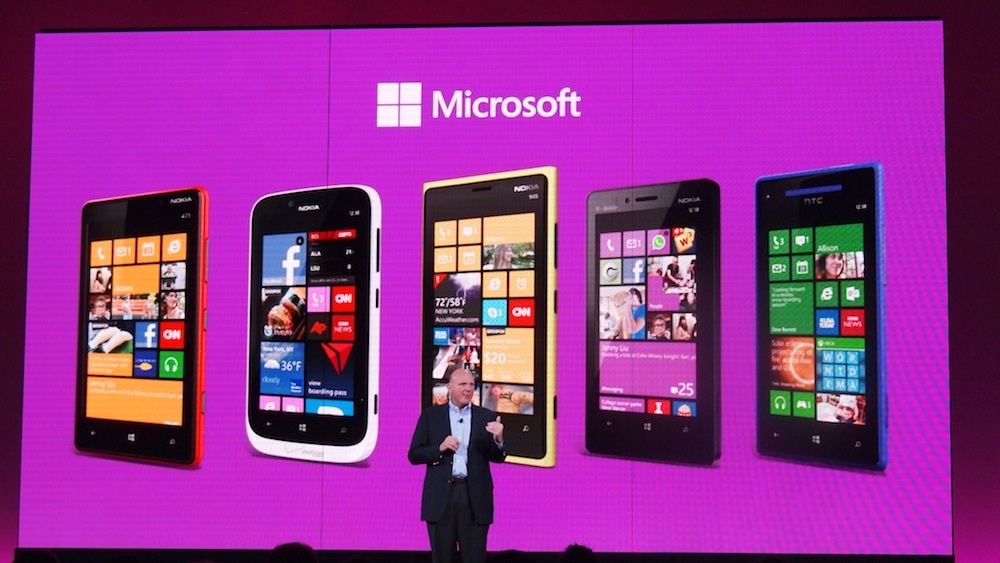
Microsoft has kept a tight lid on what parts of the OS we were allowed to see and what we weren’t up to this point, but today, the veil came off. Samsung, HTC, and Nokia each showed off their WP8 devices. Seeing the entire lineup together was quite impressive. This is undoubtedly Microsoft’s most varied and well-supported Windows Phone launch to date. For the first time, Microsoft has given manufacturers a lot more leeway to create handsets with more varied specs, features, and designs. These handsets offer a variety of screen sizes, resolutions, shapes, processing power, and unique features. While Nokia handsets boasted a suite of Nokia transportation apps, HTC is heavily pushing its ImageSense camera and Beats functionality. Samsung has plenty of unique apps and is stressing the connectivity between its Windows Phones and Windows 8 tablets. Phones also now seem to come in every color of the rainbow. The hands-on area resembled a Skittles commercial. Some phones even feature swappable shells, so you can change your color every day.
Kids Corner
Now that the smartphone industry is maturing, it’s beginning to get more family friendly. Today, I got to try out Microsoft’s new Kids Corner feature: a sandboxed custom homescreen you can create just for your kids to play around in. For the tech-savvy parent, I have to say, this could be a killer feature.
Kids are annoying sometimes. They won’t shut up and they’re hyper as hell. But what if you could hand them your phone without worrying whether they’ll email your boss pictures of Barney? Now you can. WP8 lets you assign whatever apps, games, music, videos, or other content you want your kids to be able to access to a special homescreen. Turning the feature on requires you to dig into the Settings menu a little, but once it’s activated, you can hand your child your phone at its lock screen. All they have to do is swipe to the left to open a custom kid-friendly homescreen. They can move all the Live Tiles around however they please, and the Home button is deactivated, so you don’t have to worry about them escaping back into your content. A word of advice, though: Create a password for your lock screen. If you don’t, then your kids can still restart the screen and poof, they’re back in your email.
Data Sense
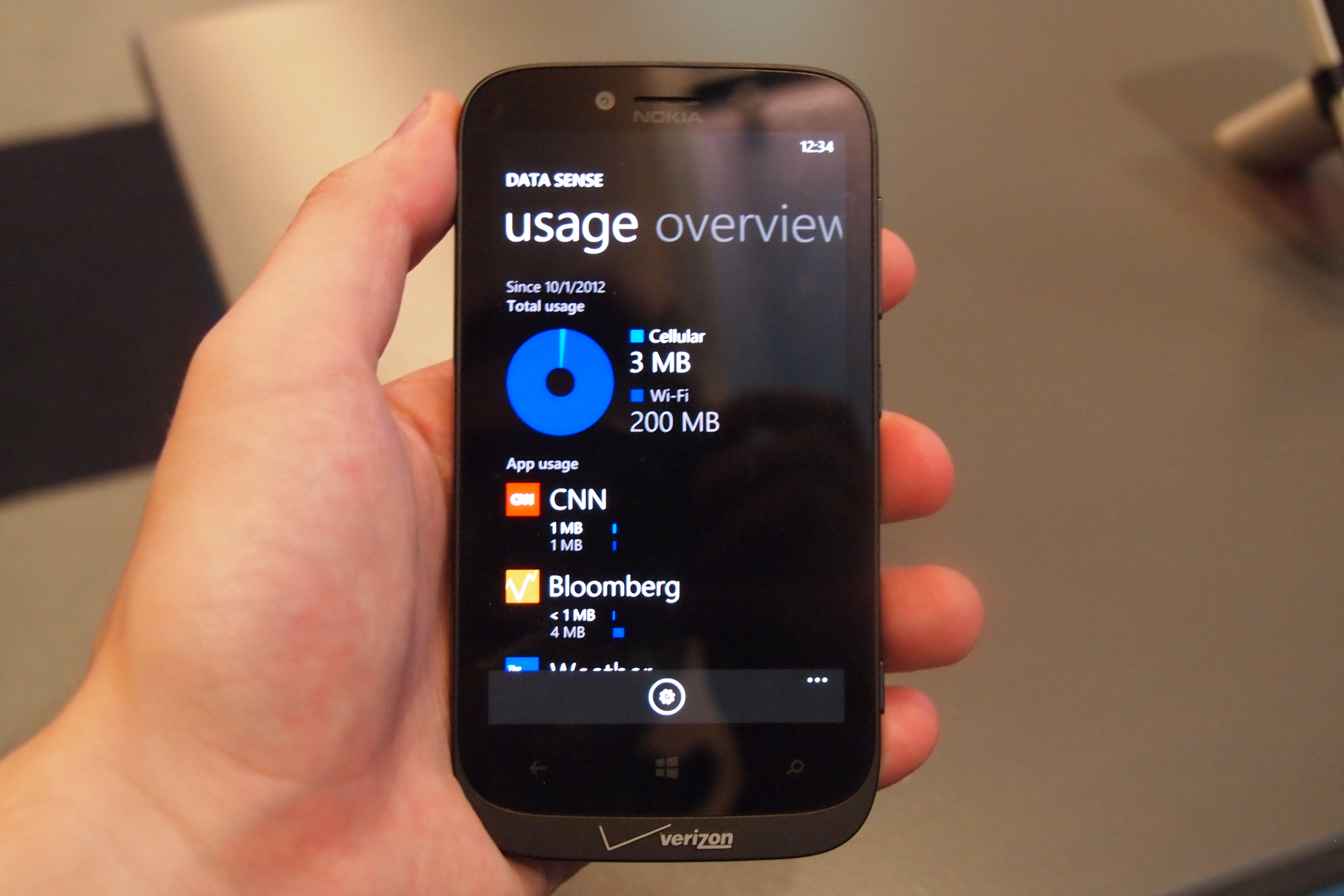
Microsoft has followed Google’s lead and integrated a data-monitoring feature in Windows Phone 8. Data Sense lets you set a data limit for the month (or another length of time) and will warn you as you pass thresholds like 50 percent of your data. Better, you can dig into exactly what apps are sucking up all of your data. I can’t believe that the iPhone doesn’t yet have a feature like this, but now every other major OS does. There isn’t a ton of depth to this app, but it’s value can be measured by the size of your phone bill.
Rooms for your people
Windows Phone has long pushed “hubs” as a way to aggregate large numbers of apps and features around certain topics. The People hub has been a good place to find your contacts and see recent social-networking status updates, but now it can do a little more. If you happen to have a group of friends who have climbed aboard the Windows Phone train like yourself, you can invite them into a “Room” with you. Rooms are kind of like Facebook used to be: exclusive. They have to approve you, but once you’re all connected, you can share content pretty easily.
I haven’t made my own group yet, but I did check out some pre-made groups. By swiping through pages, you can connect with your friends in a few different, useful ways. There’s an open, ongoing chat window, a shared calendar (which can connect to iPhone and some Android devices via a Web link), and photo sharing. It seems like a really great way for close friends to stay in touch. Hopefully Microsoft will continue to build on this feature.
Camera ‘lenses’
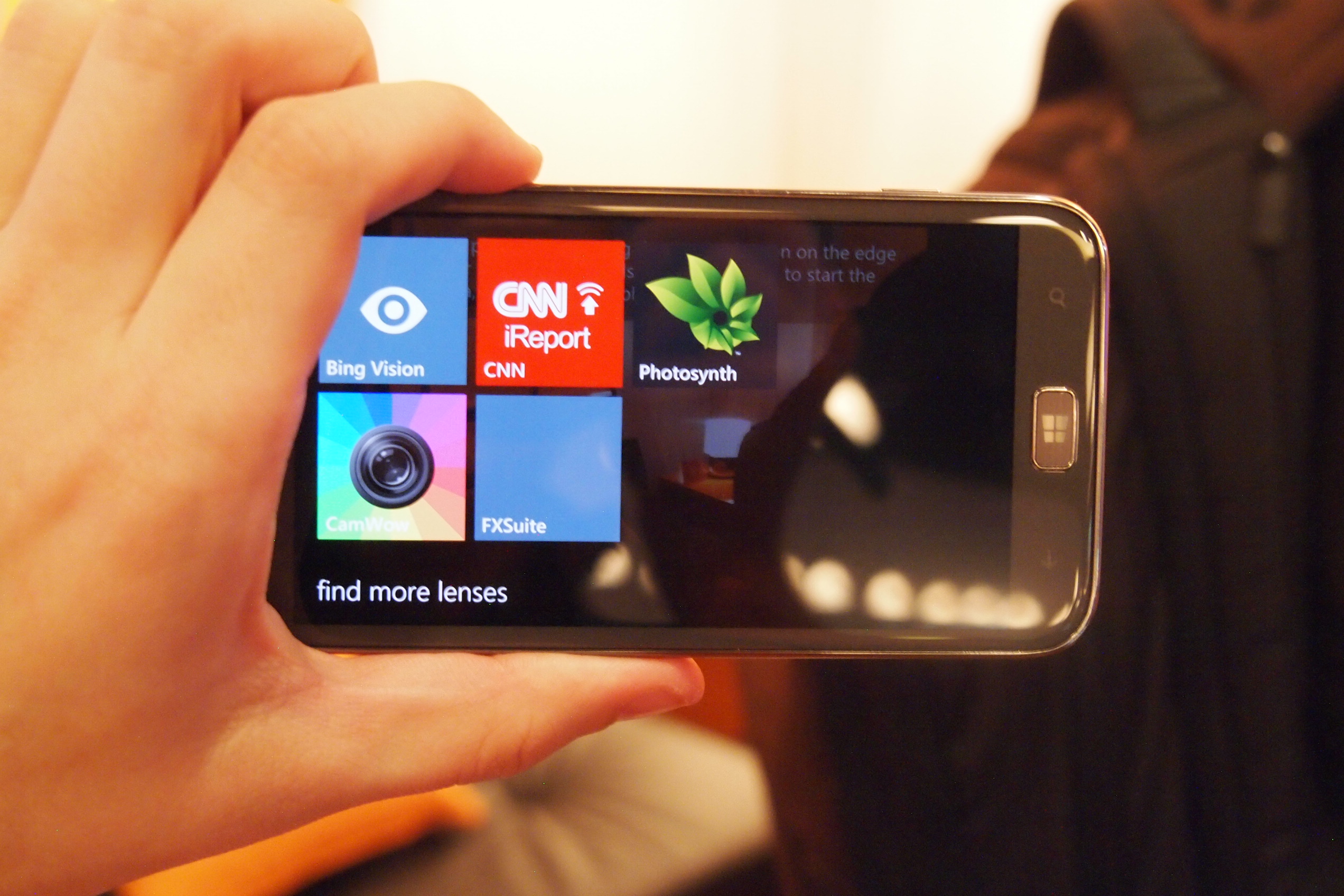
This feature doesn’t seem to be getting a lot of notoriety, but for fans of photo filters and apps, it’s pretty cool. While Instagram still isn’t on Windows Phone, there are a lot of cool apps that let you add effects to photographs and now Microsoft lets you access them directly from the Camera app. In essence, it’s now a Camera Hub. You can access these apps by just tapping one of the icons on the screen. Its easy and brings up a grid of apps. Press one and you can apply its feature or filter. Very cool.
Better Live Tiles
Finally, I still haven’t gotten over how much nicer and more customizable the Windows Phone 8 homescreen looks. Because Microsoft is now allowing even more minute features and pages to be “pinned” to the Start screen, the variety of content is impressive. Every Windows Phone I saw today had a completely different and sometimes startlingly unique look to it — a few of them were so busy that I didn’t know where to start. Microsoft has always said that the Start screen reflects who is using the phone. For the first time, I think that’s true. Live Tiles can now be resized to take up an entire row, a standard square, or 1/4 square (practically an icon). You can do a lot with the Start screen now. Apps can communicate with their Live Tiles (and you) faster and better now too. You can even allow apps to show you information on your unlock screen, if you’re into that.
It’s looking good
Windows Phone has always been a nice-looking operating system, but with WP8, Microsoft seems to be smoothing out some of the gaps in its functionality and introducing more features that are unique to its platform. iOS and Android seem to chase and copy one another these days, but Microsoft continues to do its own thing. Now that Windows Phones like the HTC 8X will be on T-Mobile, AT&T, and Verizon this holiday season, there’s little reason not to at least check one out. You may like it. I’m may make the jump myself, if I’m able.
Live updates without unlocking your screen coming to WP8?
Microsoft could incorporate a new kind of live wallpaper when it reveals the Windows Phone 8 operating system in full next week.
The as-yet-unannounced Live Wallpapers feature would, according to a leaked snap, bring updates from the likes of ESPN and USA today to the handset's lock screen.
The Nokia Innovation site has posted an image (see above) with WP8 handsets showcasing updates from an NFL game and another showing thumbnail images from news stories.
A third handset within the image seemingly promises live updates from Bing.
Live Tile extension
The functionality would be a handy extension of the Live Tiles feature Microsoft pioneered with Windows Phone.
These tiles offer access to sports scores, breaking news and social networking notifications autonomously, without having to enter the app. Live Wallpapers could make that even easier.
Nokia Innovation is reporting that Live Wallpapers will be one of three new features explained by Microsoft on Monday when it reveals Windows Phone 8 in full.
Among the handsets flying the flag for the new-and-improved mobile OS are the Nokia Lumia 920 and the HTC 8X, both of which will go on sale in the second week of November
With real productivity apps, a clever keyboard cover and a well-engineered design, the Surface tablet stands a real chance of cutting into iPad sales… if Microsoft will throw enough money at the marketing.
All these “killer this” and “killer that” comparisons get out of control. Every new challenger is hyped as the killer of what came before. But sometimes, it’s true. The iPad really turned out to be a PC killer; folks bought iPads instead of buying new PCs, and that market took a pretty big hit. Apple pulled this off by building something that changed the rules for a PC, and we saw it differently.
Where the PC was about performance, the iPad was about portability. Where the PC was about mice and keyboards, the iPad opted for touch, and where the PC was generally about productivity, the iPad was about entertainment.
But it forced a hard choice that most of us didn’t really want to make: tablet or laptop? This was because the iPad was really a netbook that swapped the keyboard and mouse for a touchscreen, and the iPad’s shortcomings made it a very difficult product to live on exclusively. Most iPad buyers had to keep their PCs or buy MacBooks, and that took what was already an expensive solution and increased it.
With the Surface, Microsoft is trying to reverse the deck and do to Apple what Apple did to it.
Productivity
The Surface comes with Microsoft Office, the unchallenged, dominant desktop productivity product in the market. In fact, the ARM-based Surface actually bundles in Office, so you get productivity capability out of the box, putting it ahead of most PCs. But let’s not stop there, because unlike Apple, Microsoft isn’t being as restrictive of apps that fall into their turf. For instance, the apps can share data, so you can be looking up restaurants on one screen, and then simply click to bring up navigation, or some other app that can use the information from that initial screen. Microsoft also designed in a high degree of accuracy, so you can use a stylus, a tool typically preferred over a finger for creating art or editing pictures. These aren’t netbooks with touchscreens instead of keyboards, they are full PCs. That generally means you should be able to leave the laptop at home or in the office more often.
Designed from the inside out
Apple designs from the outside in. While this does result in beautiful products, it also results in painful problems like Antennagate, or cost problems, which may explain why the iPad mini is priced a whopping 60 percent above the rest of the market. This is also why the first iPhone, when it was presented, was pretty much a pretty brick that took months to get working. When car companies take this approach, you get rolling art that costs a fortune to maintain and isn’t very reliable.
Microsoft made big point of designing from the inside out. Engineers got the product properly equipped, adequately reinforced, and balanced before designers wrapped the result in a pretty case. The end result is a tablet with a screen optimized for movies and video, a balance that makes it feel lighter than it is, and a full set of features. (It’s missing a 4G radio, but because only about 10 percent of tablets have WAN radios turned on.) Microsoft even put in a fast-charge battery, so you can go from dead to near full charge in around two hours. Oh, and another in-your-face move is that while Apple uses magnetic plugs to charge for their laptops (which uniquely saves the laptop if you trip over the cord), it doesn’t appear on the iPad. The Surface does have this magnetic design. When Apple and Microsoft signed the last cross licensing agreement, Microsoft agreed not to copy the iPad. Instead, it ripped a part off the MacBook to improve its own tablet. Now that really is getting in Apple’s face.
The necessity of a keyboard
A few years back, before the iPad, Bill Gates and Steve Jobs were on stage, and Bill said something to the effect that tablets were the future for mobile PCs. Steve pretty much said that only idiots would buy a tablet, because a keyboard was simply too irreplaceable.
Now, both the iPad and Surface tablets have optional magnetic covers, but only Microsoft’s comes with a built-in keyboard. This makes it look like the Surface Tablet is a better presentation of Jobs’ vision than the iPad, and that is about as “in your face” as we can get.
I think it would be fun to run the clip of Steve Jobs calling tablets without keyboards stupid right after a clip of Tim Cook talking about tablets with keyboards as the ugly result of refrigerators and toasters mating, and then follow it with the number of iPad keyboards sold (the market for this has turned out to be impressively large).
Marketing is key
After seeing the cringe-worthy Olympics ads that Apple did, I’m convinced that a lot of talented people left the company after Steve Jobs passed. This gives Microsoft the potential to out-market Apple this round. Kathleen Hall’s advertising team at Microsoft is considered one of the best in the business, but Microsoft traditionally underfunds advertising. If it does that here, this potential Apple killer will follow the Zune into the dustbin of history. The initial TV ads are good, but they’ll need Apple-like seeding and sustained marketing programs (read: loads of cash) to assure this “killer” product reaches its potential. If it opens its wallet wide enough for that, Microsoft may do to Apple what Apple did to it with the iPod, iPhone and iPad, and find that revenge can be oh so sweet.


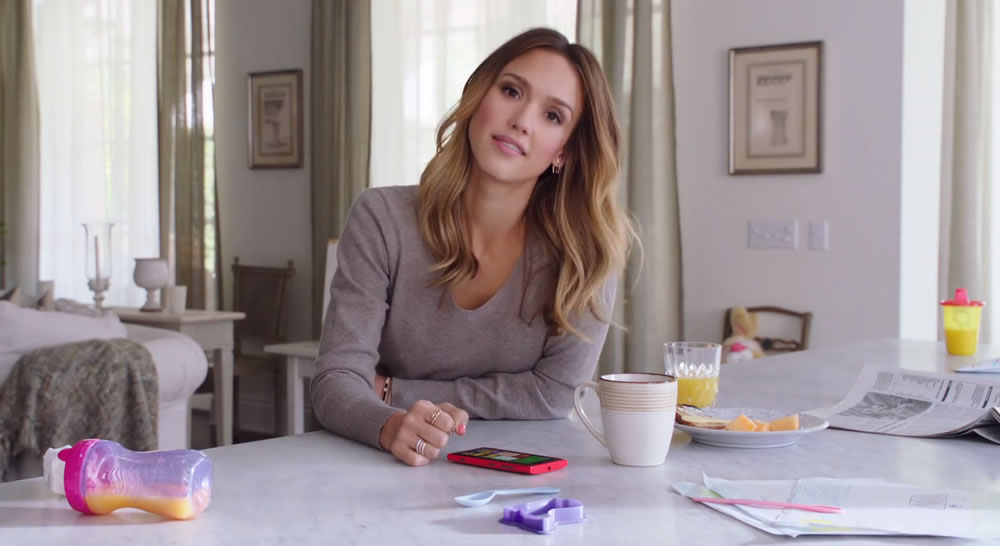
 During the Jessica Alba spot, Microsoft is attempting to promote the use of the Kid’s Corner feature since young children like to play games on their parent’s smartphones. Similar to Netflix’s Just for Kids section, Kids Corner on the Windows Phone acts as a parental filter.