Thursday, February 27, 2014

Android Beam: Why you should care about this hidden gem

Android Beam: Why you should care about this hidden gem
Getting the best from NFC on your Android phone

Near Field Communication technology (NFC) has spread its way across the mobile landscape like a forest wildfire, yet how many of us actually use it, let alone use it to its full potential?

We all know how NFC works (if not, then here's all you need to know about NFC) although one of its greatest applications is still being hidden away and unused; Google's Android Beam.

In order to help you make the most out of your hardware here's our guide to what Android Beam is and, more importantly, how it works.

What is Android Beam?

Having been baked into every iteration of Google's mobile OS since Android 4.0 Ice Cream, Android Beam is an app designed to make the most of NFC and enables the sharing of just about anything whether it's a contact card, picture, web page or YouTube link.

How do I use it?

The first thing to check before we go any further is whether your handset supports NFC. This can be found within connectivity settings alongside Wi-Fi and mobile data.

Once this has been confirmed for both handsets it's as simple as touching the two devices together, bringing the NFC chips in close contact. Unfortunately, this isn't always as easy as it sounds when it comes to working out where the chip actually is, although we'd suggest that the chip is generally in the centre near the top.

NFC

The handset that you're hoping to send information from should pull the screen in slightly displaying the message "Touch to Beam".

Just tap the screen and you'll find the information popping up on the second handset, or a link to the Google Play store to find the relevant app.

What if my handset doesn't show Android Beam?

As Android Beam comes built into the Android OS there is no specific app for you to boot up. Instead just enable NFC on both handsets and press them together. Often handset manufacturers will allow you to turn NFC and Android Beam on and off individually.

If you find that Android Beam doesn't appear within the Android NFC settings you shouldn't fret. The HTC One is a prime example as there is no mention of Android Beam anywhere; however following the above steps will still bring up the "Tap to Beam" page that we mentioned earlier.

Owners of Samsung branded devices will also find sat alongside NFC the S-Beam app, which is largely the same thing, as you'll find out if you read on.

What is S-Beam?

S-Beam is a Samsung specific app that builds onto features that are already included in Android Beam. It still connects via NFC although all data is sent via Wi-Fi Direct. This makes transfer speeds faster when sending files such as your latest holiday snap or video.

Working through S-Beam is done in the exact same way as Android Beam, pressing the NFC chips in each device together, but it initiates a faster and stronger connection than Bluetooth.

Are there any downsides?

One of the biggest problems with Android Beam is NFC and the location of the chips. Availability of NFC is no longer an issue given that it now comes on many of even the cheapest handsets but locating the chip in the first place can be a pain in the posterior.

In mobile phones the problem isn't so bad given there's limited space to choose from, but trying to locate the chip on a tablet can be more than a little tricky.

This can often be found with a quick search online, although you then have to find a way of putting the two chips together. In tests we found that while the NFC chips recognised each other's presence (with a small vibration) the sending handset occasionally didn't want to register Beam.

It is also probably worth pointing out, if not immediately obvious, that Android Beam does only work with Android phones. iPhone's don't even come with NFC on board, at least not yet., and Windows Phones don't want to know.

What does the future hold?

Since its inception Android Beam has grown to encompass sending files via Bluetooth. This works by instantly pairing devices and turning on Bluetooth, sending the file then disabling Bluetooth. You can then move the phones apart as they no longer rely upon NFC.

Just as S-Beam incorporates Wi-Fi Direct so could Android Beam, something that may find favour from the recent Google-Samsung patent licensing deal. This would enable even faster file transfer than Bluetooth.

At a stretch it's not too difficult to imagine Android Beam becoming part of the Internet of Things either, allowing you to tap your phone against an Android enabled refrigerator to share a shopping list or to a potential updated Chromecast dongle to enable Wi-Fi Direct streaming of content to a larger screen nearby.

While NFC hasn't quite caught on as a payment method, there's still a real desire to find cool ways to connect - here's hoping Android Beam keeps getting the development it deserves.


Source : http://www.techradar.com/news/phone-and-communications/mobile-phones/android-beam-why-you-should-care-about-this-hidden-gem-1226272
MWC 2014 wrap-up: the best of the biggest mobile event this year

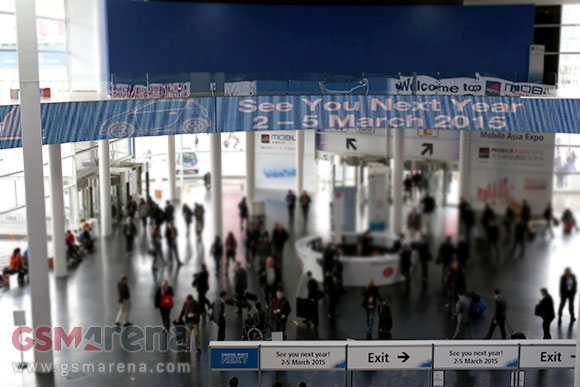
We're on our way out of the MWC grounds. The biggest mobile tech event of the first half of teh year is over. While last year we left slightly disappointed, this year was full of excitement with several flagship launches, several new tablets and plenty of wearables, too.


Before we say goodbye, we have time slow down and review the highlights of the frantic week behind us.

Samsung

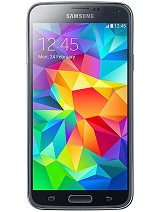
Samsung's announcement brought the hotly anticipated Galaxy S successor. The Galaxy S5 improves on the S4 on all counts, with water-resistance, big camera sensor with 4K video capture, fingerprint and heart rate sensors as the headlining features.

The slightly bigger screen (just 0.1") and faster processor were a bit less exciting (S4 Advance has Snapdragon 800 versus the 801 of the S5).

Samsung Galaxy S5
Samsung Galaxy S5

Samsung also brought out Tizen devices - three smartwatches - but the only Tizen phone was a prototype that will never see store shelves.

Sony

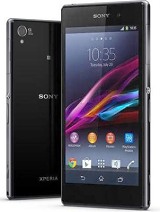
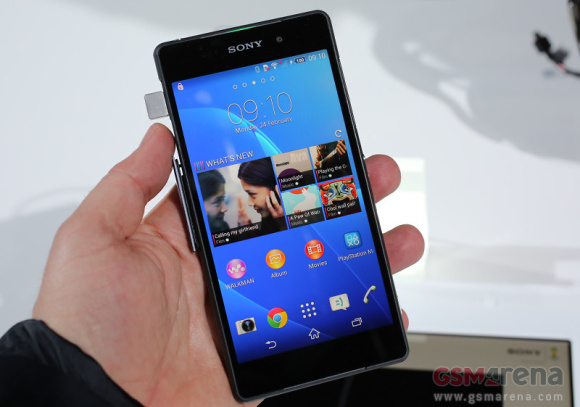
Sony was the other big player to unveil its flagship - the Xperia Z2 builds on its predecessor with 4K video capture, bigger screen (0.2" more) and lighter, but bigger, body. Sony has publicly adopted the two flagship updates per year, so this is really for Xperia Z owners. Z1 owners will probably have their upgrade later this year.

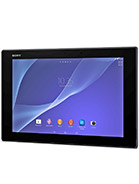
Sony Xperia Z2 Sony Xperia Z2 Tablet LTE
Sony Xperia Z2 • Sony Xperia Z2 Tablet LTE

Sony also revamped its tablet - the Xperia Z2 Tablet is the thinnest Android tablet around and it's so light and pretty, it's a serious rival to the iPad Air. As other Z devices, it's water resistant.

Nokia

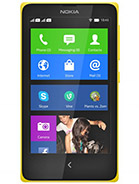
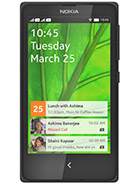
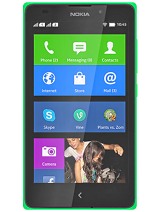
Nokia had no flagship to show, but its event brought a big shift in strategy - the now Microsoft-owned phone division made Android-powered devices, three of them. Of course, former CEO and future Microsoft head of tech Stephen Elop made sure to stress that the Nokia X family uses Microsoft and Nokia services, not Google's.

Nokia X Nokia X+ Nokia XL
Nokia X • Nokia X+ • Nokia XL

You can read our thoughts on Nokia's deviation from the Windows Phone-centric smartphone approach here.

LG

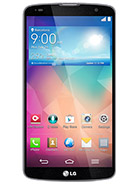
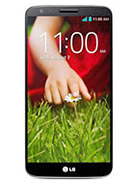
LG unveiled the G2 sidekicks - the G Pro 2 phablet and the G2 mini compact phone - a couple of weeks before the MWC, but this was our first face to face meeting with the new gadgets. While the G Pro 2 is a serious challenger to the Galaxy Note 3, the G2 mini has some drawbacks - it's not much smaller than the G2 and its specs are thoroughly mid-range. And we thought that after the Xperia Z1 Compact, things were turning around for small flagships.

LG G Pro 2 LG G2 mini
LG G Pro 2 • LG G2 mini

HTC

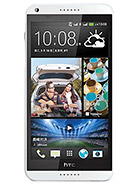
HTC didn't put too much effort into the MWC - the ailing manufacturer only brought the Desire 816 phablet and that was only a dummy. We guess HTC is saving its ace for the end of March when the HTC One successor will be unveiled.

The HTC One itself won the Best Smartphone award at the MWC.

HTC Desire 816
HTC Desire 816

Huawei

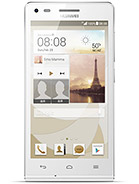
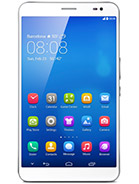
Huawei brought a "don't call it a mini" compact version of its Ascend P6 phone, the G6. The company also threw down the glove, challenging the Nexus 7 (2013) with the LTE and voice call enabled MediaPad X1.

The company also showed an innovative wearable, the TalkBand B1. It's a Bluetooth headset that can be worn as a smartwatch thanks to a clever wrist band.

Huawei Ascend G6 Huawei MediaPad X1
Huawei Ascend G6 • Huawei MediaPad X1

Lenovo

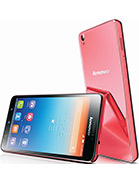
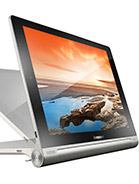
The Lenovo S850 smartphone and Toga Tablet 10 HD+ stand out on Lenovo's roster. The S850 is a mid-range 5" phone with a 13MP camera and a plastic finish meant to feel and look like glass, while the Yoga tablet updates its predecessor with a 1,920 x 1,200px screen.

Lenovo S850 Lenovo Yoga 10+
Lenovo S850 • Lenovo Yoga 10+

Acer

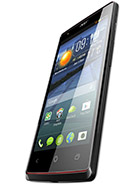
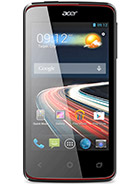
Acer had no flagship to show, but the mid-range Liquid E3 and entry-level Liquid Z4 will have to do until the next Liquid S flagship comes out.

Acer Liquid E3 Acer Liquid Z4
Acer Liquid E3 • Acer Liquid Z4

ZTE

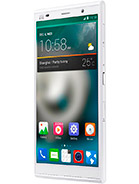
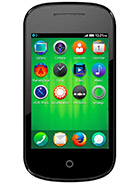
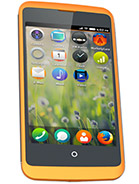
ZTE showed the second generation Grand Memo tablet, now with LTE. The screen grew to 6", though the chipset was demoted from a Snapdragon 800 to a 400. ZTE also had a couple of Firefox OS phones on display.

ZTE Grand Memo II LTE ZTE Open II ZTE Open C
ZTE Grand Memo II LTE • ZTE Open II • ZTE Open C

Alcatel

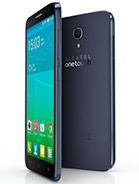
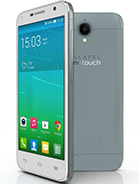
Speaking of Firefox OS phones, Alcatel had a whole gaggle of them, there's even a 7" tablet. Alcatel had the most new devices in general, but the most interesting Android devices are the Idol 2 S and Idol 2 Mini / 2 Mini S.

The Pop Fit is an interesting device too - a tiny, entry-level Android phone that can come on a run with you thanks to the arm band (and its small size, of course).

Alcatel One Touch Idol 2 S Alcatel One Touch Idol 2 Mini Alcatel One Touch Idol 2 Mini S
Alcatel One Touch Idol 2 S • Alcatel One Touch Idol 2 Mini • Alcatel One Touch Idol 2 Mini S

Others

A few devices from lesser known makers also deserve a shout out. The Blackphone addresses hot issues of today - privacy and electronic security - while the New YotaPhone tries to revolutionize phone design with two screen (the second one being an e-paper display).

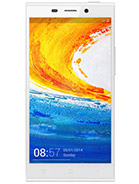
The Gionee Elife S5.5 is the thinnest smartphone yet, just 5.55mm thick.

Gionee Elife E7 Gionee Elife S5.5
Gionee Elife E7 • Gionee Elife S5.5

Other intersecting developments came from SanDisk, like the first 128GB microSD card (which the latest flagships support). This NAND storage progress was, of course, accompanied by bigger embeddable storage chips for phones and tablets.

SanDisk also unveiled external storage for your phone or tablet, the Dual Ultra USB Drive. It plugs into USB OTG enabled devices and provides between 16GB and 64GB of extra storage. It has a handy full size USB end for plugging into computers too.

While Apple wasn't at the MWC (it never is), the awards committee honored the Cupertino tech giant with the Best Tablet award for the iPad Air.


Source : http://www.gsmarena.com/mwc_2014_wrapup_the_best_of_the_biggest_mobile_event_this_year-news-7943.php

Third-party apps can use Samsung's fingerprint scanner

In a not so surprising move Samsung released its latest flagship with a fingerprint scanner just as rumors suggested. The home button on the Galaxy S5 does more than just unlocking the phone though.

Samsung is also providing its fingerprint scanner information for use with other apps so developers can, for example, replace passwords with biometric print data.


This is done with the Pass API, released as part of the Galaxy S5 development kit. PayPal is the first to utilize the open API and will allow confirming payments via fingerprint on the Galaxy S5.

Apple on the other side held its fingerprint scanning information under lock and key inside the A7 chip and only allows data to be shared (read used) with its own services (like iTunes, iBooks, etc.).

Some might argue the latter is a safer approach amid constant raiding of online-accessible personal information. On the other hand the fingerprint scanner opens a world of possibility and enhanced usability.

What say you, loyal readers? And while you're mulling it, here's our hands-on with the Samsung Galaxy S5.

Source


Source : http://www.gsmarena.com/samsung_has_an_open_api_for_its_fingerprint_scanner-news-7944.php

Sailfish: the OS that wants to dethrone Android

Sailfish: the OS that wants to dethrone Android
Sailfish is compelling, but can it rock the boat?

There's revolution in the air. People and companies are tired of essentially being limited to a choice of just three smartphone operating systems. They're tired of the walled gardens of iOS and Windows Phone and they're wondering about the open-source-but-secretive development of Android.

This atmosphere has led to four new operating systems being built to challenge the status quo. There's Firefox OS, Ubuntu, Tizen and then now Sailfish OS, an operating system developed by a small team with big ambitions.

Sailfish logo

Sailfish OS might be reasonably new, but many of the ideas driving it aren't. It's an open source Linux based operating system but more specifically it was born from the ashes of Nokia's failed MeeGo OS, which was used on precisely one phone: the Nokia N9, before the Finnish phone-smiths pulled the plug.

Some of the people behind MeeGo weren't ready to abandon it though, so they jumped ship, formed a new company called Jolla, raised an impressive £160 million and got to work on Sailfish OS, taking many of the ideas from MeeGo with them.

Not a button in sight

So why should you care about Sailfish OS? Well, it's largely open source for one thing, and not open source in the way Android is where most of the development is done behind closed doors, but truly open, allowing the public to see much of what Jolla is doing and use the code for their own purposes.

It also has a user interface that's quite different from any of the competition. It starts with the homescreen, which rather than showing static app icons instead gives you a window to all your open apps, and lets you switch between them or interact with them with a swipe, taking multitasking to a level not really seen on other phone OS's.

Sailfish OS
The Jolla. From Jolla.

For example, if you have the phone app open on the homescreen a swipe one way will reveal the dialer and the opposite way will show you your contacts.

But each app icon also shows live information, so for example the music player might show what track is playing. In many ways it's a mix of BlackBerry 10's homescreen layout, Windows Phone 8's live tiles and Android's widgets all in one.

As you might have guessed from all that, it's also a very gesture based OS. You can access the app drawer with a swipe up from the homescreen, get back by swiping from one side to the other when in an app or close it down by sliding your digit from top to bottom.

You can also check your social network updates and other notifications without interrupting what you're doing by swiping up from the bottom of the screen, quickly access options that are relevant to the screen you're on by accessing the 'Pulley Menu' with a downwards swipe from the centre of the screen and wake the phone up from sleep by double tapping anywhere on the screen.

It's a system which cuts down on buttons and menus and gives you access to just about everything from any app or screen.

In fact there are no physical or virtual home, back, menu or search buttons. Being able to carry out different actions with just a swipe also makes it much easier to use one-handed than other mobile operating systems and could potentially help it stand out on larger handsets and tablets where two-handed use has been all but essential up to now.

Custom colours

Sailfish OS also puts a lot of focus on visual customisation, allowing you to change the colour of the interface to match the colours of whatever background image you're using and the colour change is applied not just to the home screen but also to the apps themselves.


Source : http://www.techradar.com/news/phone-and-communications/mobile-phones/sailfish-the-os-that-wants-to-dethrone-android-1224564

Sony Xperia Z2 will only be the flagship for six months more

Speaking to Japanese K-Tai.Impress Sony Mobile's Creative Director, Director of Product Planning and UX General Manager, Yoshiro Kurozumi, addresses the early rise to the throne by the Xperia Z2 and why he thinks a half a year upgrade cycle is a better fit for this industry.

According to him, in order to maintain a the flagship status of the product, you must upgrade it faster to keep it competitive. He went on to confirm that the Xperia Z2 will likely be Sony's flagship for only the first half of 2014.


He also commented about design, saying Sony doesn't want to rely on a single design, which could mean the company will perhaps move away from its OmniBalance design language, which has dominated the Xperia line so far (including Z, Z1 and Z2, compact and ultra included).

And while we can extrapolate from Mr. Kurozumi's words that Sony will be releasing its next flagship some time in Q3 or Q4 of 2014 and that it may feature a new design, we truly hope Sony will at least continue to update its Z and Z1 flagships for the sake of those users, who have purchased these devices for a handful amount of money (all of which are still waiting to receive Android 4.4 KitKat).

Source (in Japanese) | Via


Source : http://www.gsmarena.com/sony_xperia_z2_will_be_flagship_for_half_the_year-news-7942.php

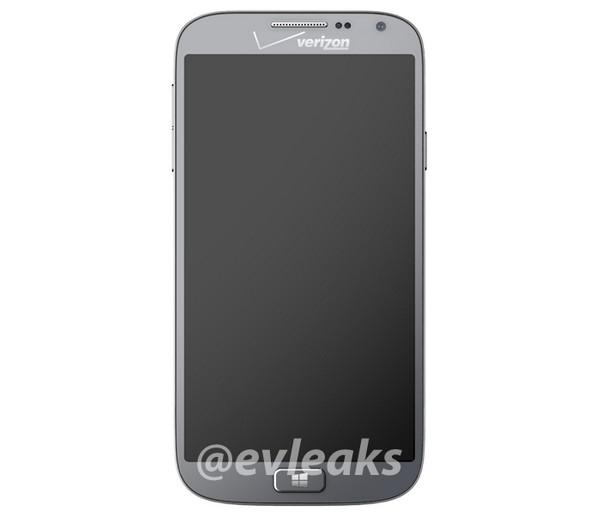
Samsung Huron for Verizon to be called ATIV SE

Samsung Huron for Verizon has been confirmed via the GFXBenchmark's database and @evleaks tweets. Huron is supposed to be a Windows Phone 8.1 running device headed to Verizon this spring.


According to the latest info, courtesy once again of the notorious @evleaks, Samsung codenamed Huron will be called ATIV SE. Since Verizon is already offering the first ATIV, we guess the SE might be short for Second Edition.

Anyway, Samsung ATIV SE is rumored to pack either a 4.3" 720p or a 5" 1080p display. It should be running on a quad-core Snapdragon processor with 2GB RAM and a 13MP camera.

As the latest rumor has it the ATIV SE will come with the latest available Windows Phone 8.1 OS. This means it will most probably launch in April or later, after the Microsoft's BUILD conference where the WP 8.1 is going to premiere.

Source | Via


Source : http://www.gsmarena.com/samsung_huron_for_verizon_to_be_called_ativ_se-news-7941.php

Your move Apple: Samsung opens up its fingerprint scanner to all apps

Your move Apple: Samsung opens up its fingerprint scanner to all apps
Time for devs to get finger-friendly

Samsung's going to let developers use the Galaxy S5's fingerprint scanner in their own apps, which means you could be waving goodbye to your passwords for good.

The fingerprint-friendly Pass API was released as part of the S5's development kit, which also includes all the information devs need to create apps for the Gear 2 and Gear Fit.

The fingerprint scanner was already more useful than most, allowing you to control certain parts of the phone with your biometric data, and more apps being able to access the info will certainly attract consumers.

Pass out

"With Pass, you can provide reinforced security, since you can identify whether the current user actually is the authentic owner of the device," the document explains.

PayPal is the first to make use of the open API; its app lets you use your phone and fingerprint scanner combo to pay for things in participating stores.

Unlike Samsung, Apple's TouchID has stayed tightly guarded so you can only use it to unlock your iPhone 5S and authorise payments in Apple's own products like iBooks, iTunes and the App Store.


Source : http://www.techradar.com/news/phone-and-communications/mobile-phones/your-move-apple-samsung-opens-up-its-fingerprint-scanner-to-all-apps-1229280